Fortify Your Enterprise Security: Why CionSystems Multi-Factor Authentication (MFA) is the Shield You Need
In today’s hyper-connected digital landscape, data breaches, ransomware attacks, and identity theft are no longer rare occurrences—they’re daily threats. One of the most vulnerable points in any organization’s cybersecurity strategy is its reliance on simple, password-only authentication. That’s where CionSystems’ Multi-Factor Authentication (MFA) steps in as a game-changer.
The Security Gap: Passwords Aren’t Enough
Passwords are notoriously weak on their own. They’re reused, shared, guessed, or stolen through phishing and malware attacks. All it takes is one compromised password, and a hacker gains full access to your systems, data, and applications. From your customer database to financial records, nothing is safe if single-factor authentication is all you rely on.
What is Multi-Factor Authentication?
Multi-Factor Authentication (MFA) adds an extra layer of defense to your login process. Instead of just using a username and password, MFA requires something you know, like your password, and something you have, such as a mobile phone or USB key. This significantly reduces the risk of unauthorized access—even if your password has been compromised.
CionSystems offers a versatile and user-friendly MFA solution that supports:
– Token-Based Authentication using a generic USB key
– Out-of-Band OTPs via SMS or email
– Challenge-Response Questions to verify identity
Comprehensive Protection for All Your Systems
Whether your IT environment includes Windows servers, desktops, laptops, virtual machines, or cloud-based infrastructure, CionSystems MFA integrates seamlessly. It strengthens authentication for:
– Microsoft Active Directory
– Azure & Office 365
– Exchange Servers
– Non-Microsoft LDAP
– Google Workspace, Salesforce, Linux environments, and SaaS platforms
Easy to Deploy. Powerful in Defense.
CionSystems MFA doesn’t require expensive hardware or complicated setup. You can convert any standard USB flash drive into a security key. Prefer OTPs? Use your mobile phone or registered email. Want added convenience? Choose from customizable security questions.
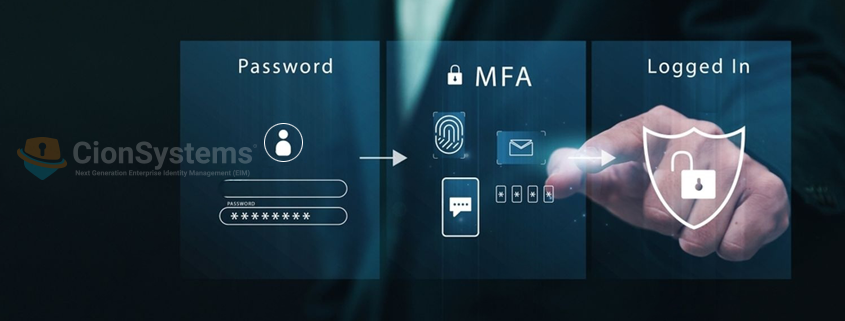
Whenever you log in, here’s what happens:
1. Enter your password as usual.
2. Get prompted for a second factor: plug in a USB key, respond to a quiz, or enter the OTP sent to your phone or email.
3. Access granted—only after successful verification.
Why Choose CionSystems MFA?
✅ Protects against brute force, phishing, keyloggers, and MITM attacks
✅ Works with managed and unmanaged devices
✅ Ideal for enterprises, small businesses, and hybrid IT environments
✅ Cost-effective and simple to deploy
✅ Reduces the likelihood of data breaches and account takeovers
Real-World Risks: Why MFA is Critical
Without MFA, a compromised password can lead to:
– Data theft or destruction
– Unauthorized creation of new accounts
– Hijacked email and communications
– Account takeovers on banking and e-commerce platforms
Implementing CionSystems MFA means you’re proactively stopping these risks before they start.
Ready to Secure Your Business?
Don’t wait until a breach forces you to act. Start protecting your digital assets today with CionSystems’ powerful, flexible Multi-Factor Authentication solution.